
A quiet reminder to blink
BlinkDuo puts two little eyes in your iPhone's Dynamic Island. They blink every few seconds, a gentle reminder to blink while you use your iPhone.
Coming soon to the App Store
See how it worksFree · iPhone · iOS 18 or later
How it works
Keep using your favorite apps
Start a session and carry on. The eyes stay visible in other apps and on the Lock Screen.
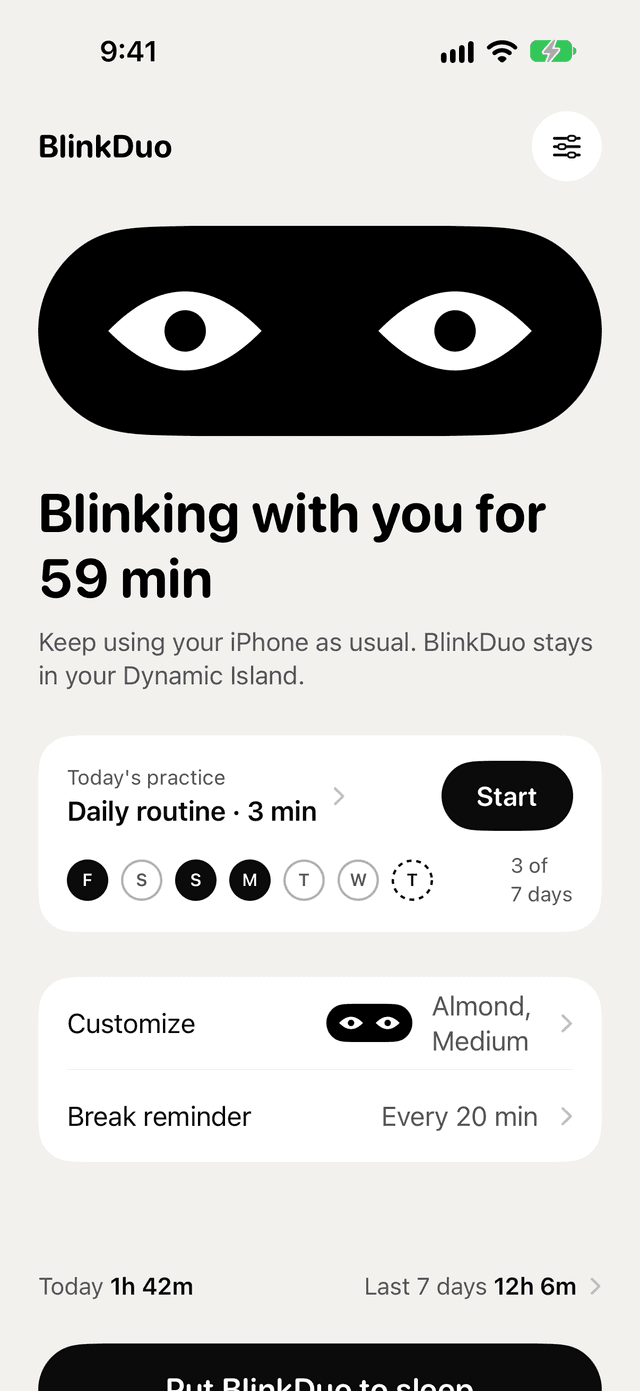
Start a session
From the app, Control Center, Siri, or Shortcuts.
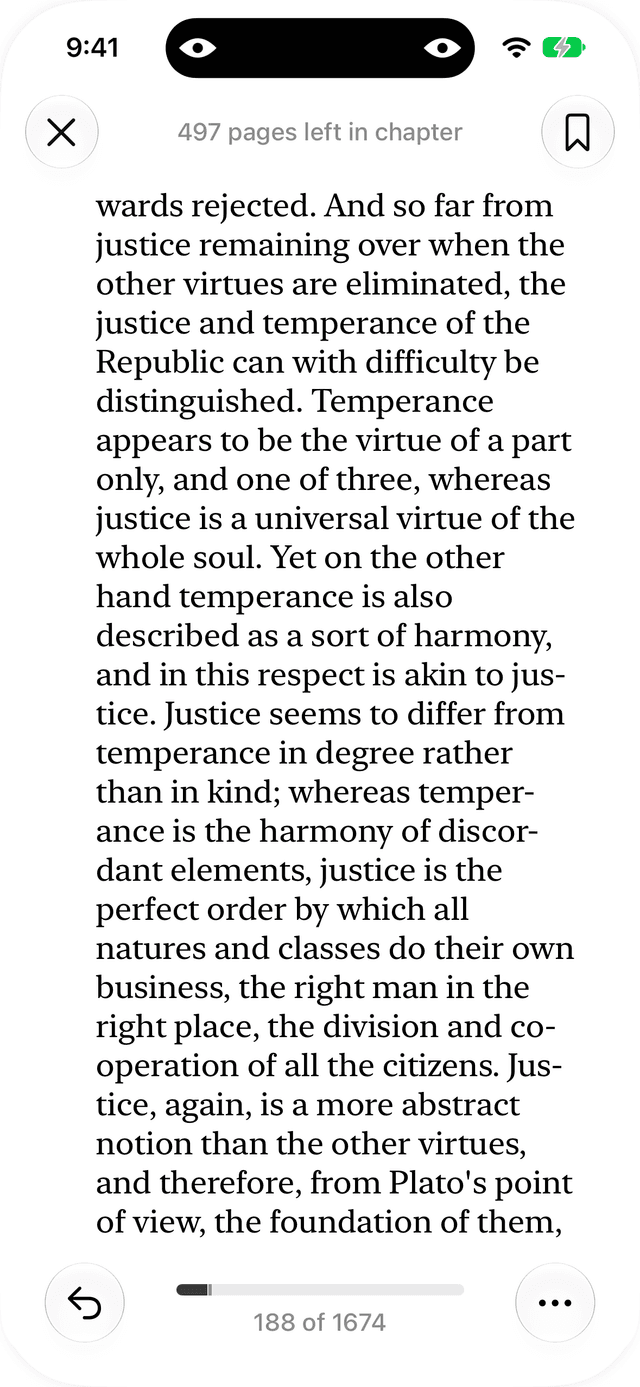
Carry on as usual
The eyes blink in the Dynamic Island. Touch and hold them to see your session or end it.
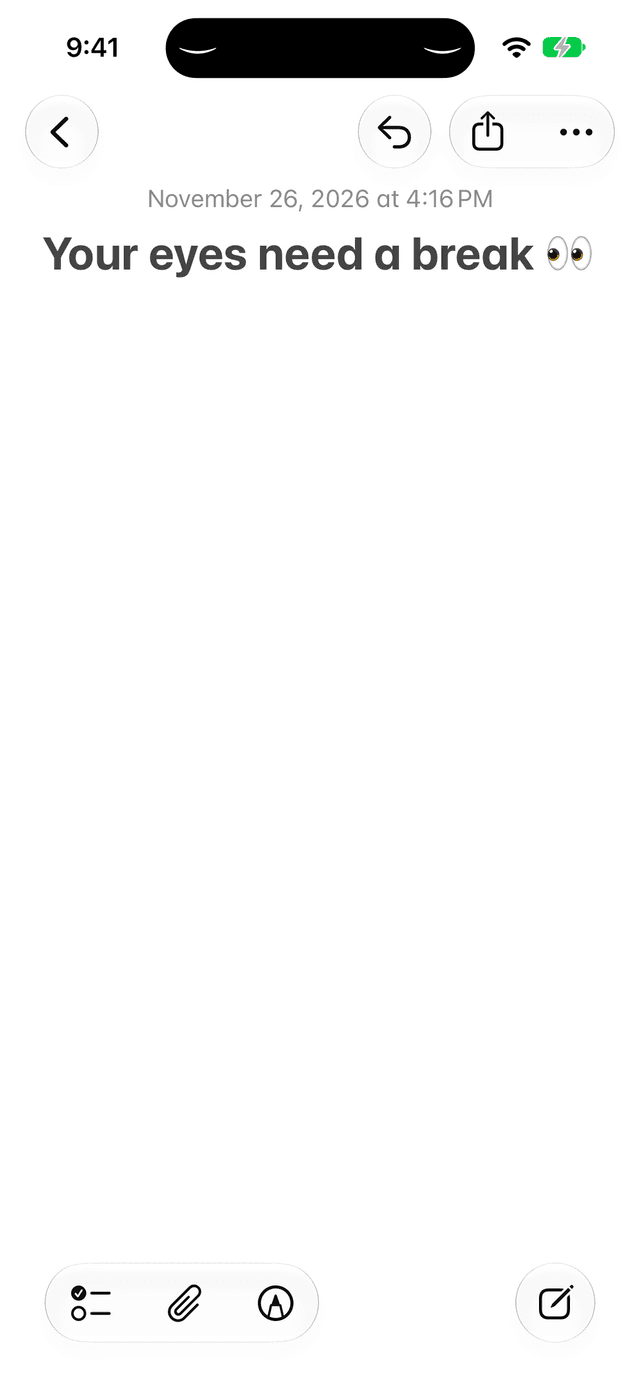
Rest when they rest
Every 20 minutes the eyes look up and close. That's your cue to look away.
A session lasts up to 8 hours, the longest iOS lets a Live Activity run. You can start a new one any time.
Break reminder
Look away for 20 seconds
Every 20 minutes, the eyes look up and close for 20 seconds. Look at something about 20 feet away until they open again. It's the 20‑20‑20 habit.
- 20minutes between breaks
- 20seconds looking away
- 20feet away, or about
You can add a silent notification for each break, or turn the break reminder off.
Practice
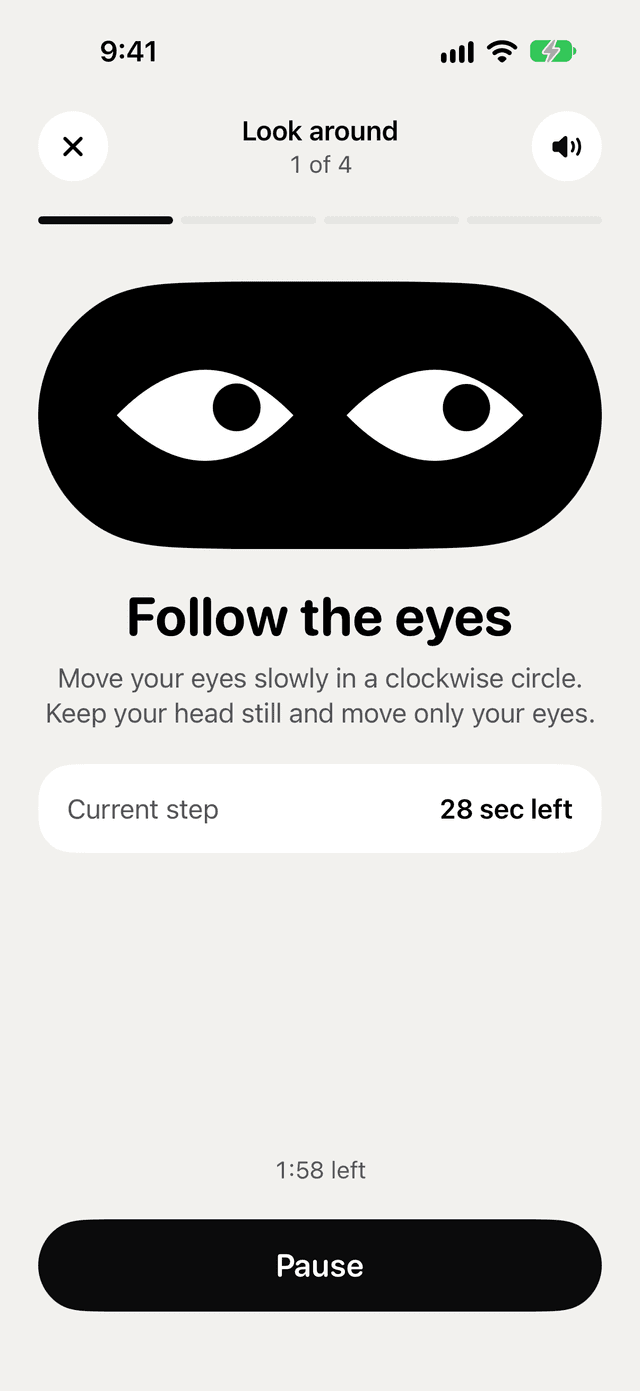
Follow guided eye exercises
The eyes on screen lead and you follow. A calm recorded voice says each step, and your iPhone vibrates at each one.
- Full blinksClose, hold, squeeze, open1 min
- Look aroundFollow the eyes in slow circles2 min
- Near and farAlternate between your thumb and something far away2 min
- Guided breakLook at something far away for 20 seconds20 sec
- Daily routineFull blinks, Look around, and Near and far in one go3 min
Choose a male or female voice, or mute it with the speaker button. A daily practice reminder is there if you want one.
Activity
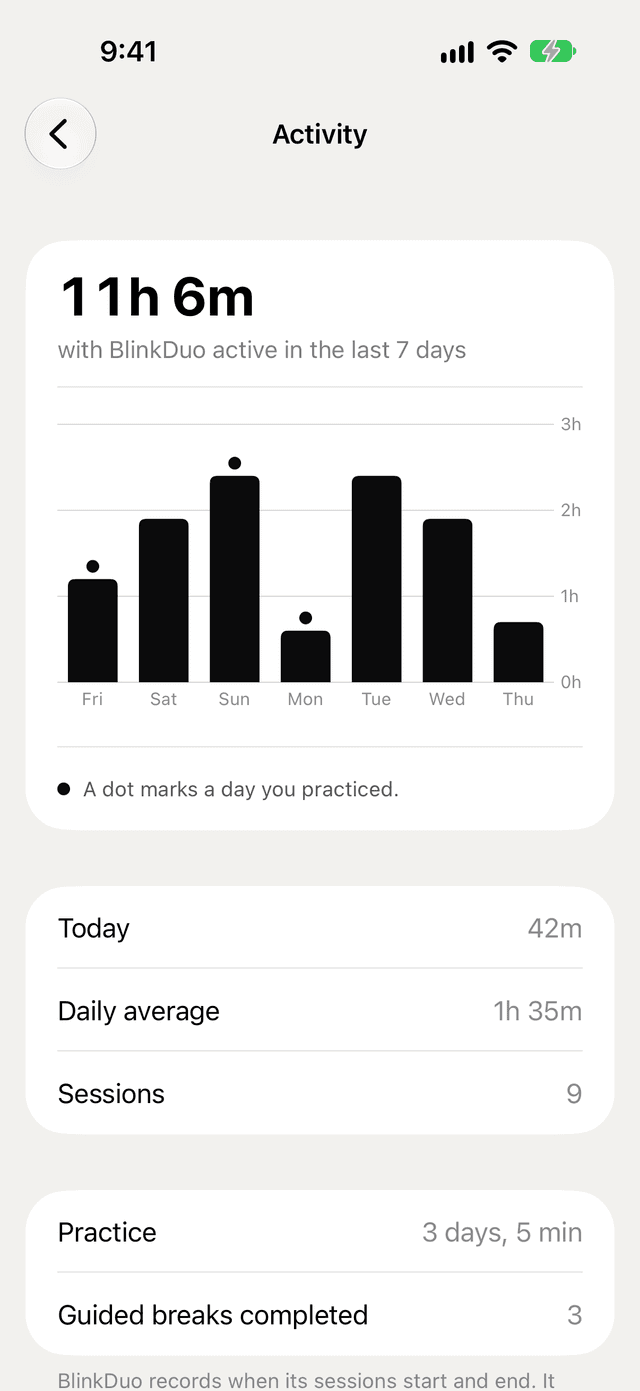
See your week at a glance
Session time for today and the last 7 days, along with the days you practiced. This history stays on your iPhone.
Customize
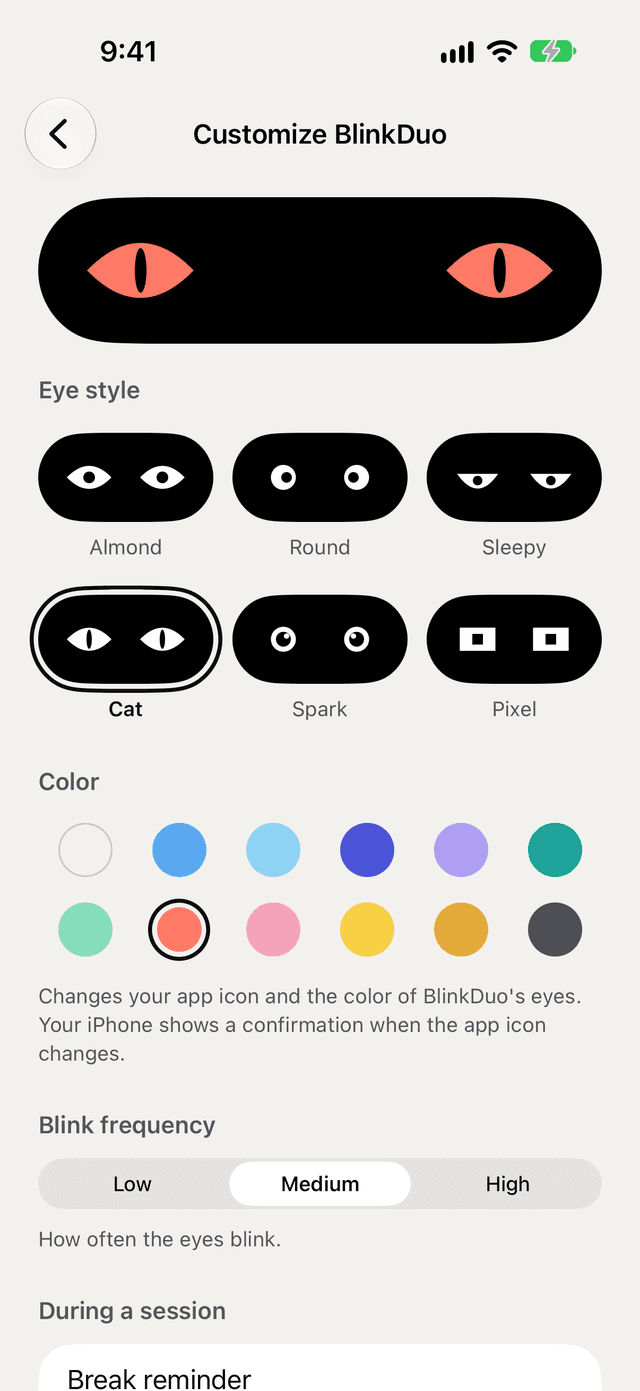
Make the eyes your own
Six eye styles and 12 colors for the eyes and the app icon. Set how often the eyes blink: Low, Medium, or High.
- AlmondFree
- RoundPremium
- SleepyPremium
- CatPremium
- SparkPremium
- PixelPremium
With Tired eyes turned on, the eyelids droop after an hour to remind you to take a longer break.
You can preview any style before buying.
Privacy
The eyes don't watch you
BlinkDuo doesn't use the camera. It doesn't track your eyes or count your blinks.
- No camera
- No account
- No ads
- No analytics
- Settings and history stay on your iPhone
If you buy Premium, the purchase is confirmed through the App Store and RevenueCat. The details are in the BlinkDuo Privacy Policy
Price
Free, with one optional purchase
BlinkDuo is free to use. BlinkDuo Premium is a one-time purchase that unlocks every exercise, every eye style and color, and Tired eyes. There is no subscription.
Requirements
What you need
- An iPhone with iOS 18 or later
- A Dynamic Island for the full experience
- On other iPhones, the eyes appear on the Lock Screen
Questions
Does BlinkDuo use the camera?
No. BlinkDuo doesn't use the camera, and it doesn't track your eyes or count your blinks. The eyes blink on their own as a reminder.
Does it work on an iPhone without a Dynamic Island?
Yes, on any iPhone with iOS 18 or later. The full experience needs a Dynamic Island. On other iPhones, the eyes appear on the Lock Screen.
Why does a session end after 8 hours?
The eyes are a Live Activity, and iOS limits a Live Activity to 8 hours. You can start a new session any time from the app, Control Center, Siri, or Shortcuts.
Can I turn off the break reminder?
Yes. The break reminder can be turned off, and its silent notification is optional.
Is there a subscription?
No. BlinkDuo is free, and BlinkDuo Premium is a single one-time purchase.
Is BlinkDuo a medical app?
No. BlinkDuo is a wellness reminder, not a medical device, and it doesn't give medical advice. If you have persistent eye discomfort, see an eye-care professional.

Two little eyes, blinking with you
Free on iPhone, with no account to set up.
Coming soon to the App Store
Free · iPhone · iOS 18 or later
BlinkDuo is a wellness reminder, not a medical device. If you have persistent eye discomfort, see an eye-care professional.